Cloud inclusions in a diamond: when does it look hazy?
A cloud is many pinpoints close together, and a pinpoint is a very small crystal that looks like a tiny dot at 10x magnification. GIA describes a cloud's look as hazy. A small, faint cloud may not be visible face up, while a large or dense one can make the whole stone look hazy. In this model, a faint cloud 3 mm across under the table softens the dark areas a little, and a dense one in the same place takes away most of the contrast.
Written by Carat Hunter, an independent diamond price comparison site that does not sell diamonds. Last checked against its sources on .
What is a cloud in a diamond?
GIA's guide to inclusions defines a pinpoint as "a very small crystal that looks like a tiny dot at 10X" and a cloud as "many tightly grouped pinpoints that might be too small to distinguish individually but together have a hazy appearance." A grading report lists a cloud in its key to symbols.
Clear, faint and heavy clouds
The same round three times: clear, with a faint cloud under the table, and with a dense one in the same place. The cloud is about 3 mm across and 1.4 mm deep. In this model, light passing through it is scattered, so the dark and bright areas of the stone run together.
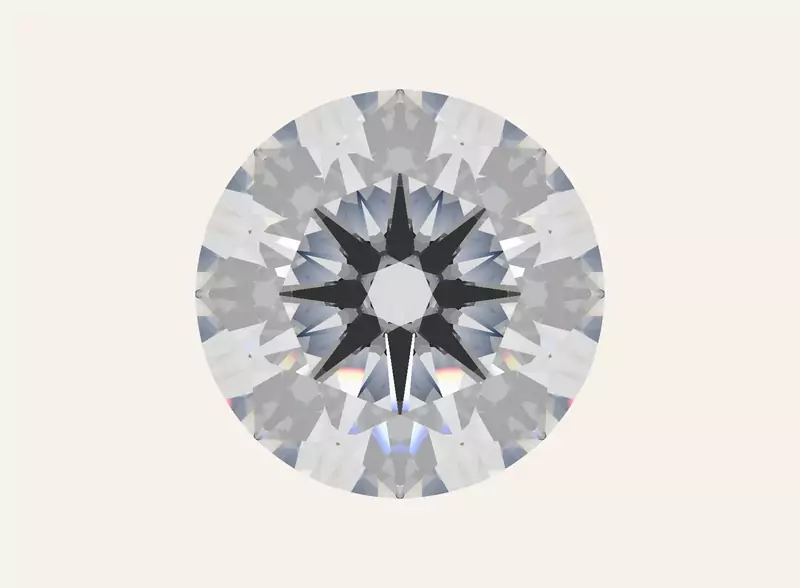 Drag to turn
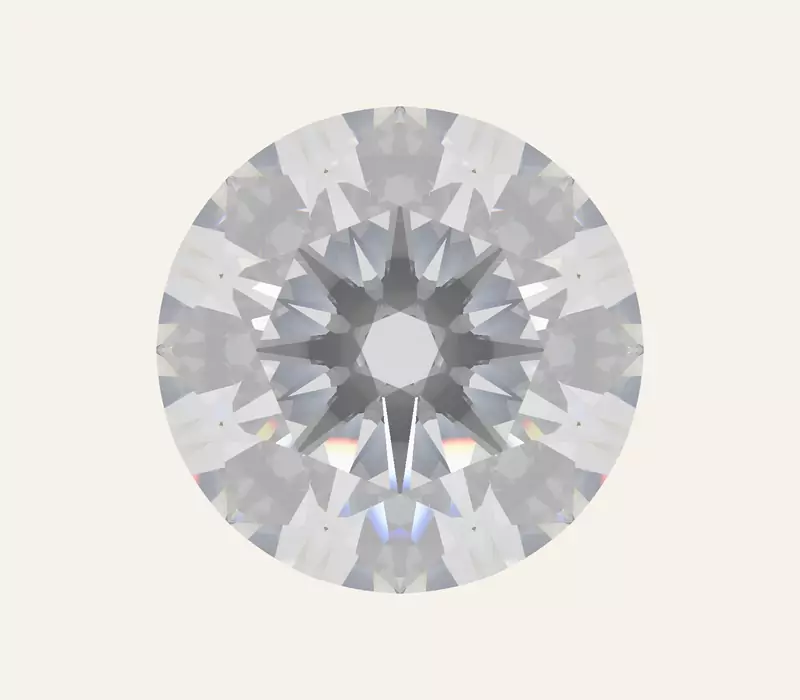 Drag to turn
 Drag to turn
What differs, in these models
Clear
- Key to symbolsnoneGood: Crisp dark and bright areas in this model
Faint cloud
- Key to symbolscloud
- On the plotunder the table
Heavy cloud
- Key to symbolscloudWatch: The contrast is mostly gone in this model
- On the plotunder the table
Good and Watch mark whether a figure is inside or outside a range GIA or IGI publishes; where no range applies, the note describes the model only.
Drag any stone; all three turn together.
Modeled illustrations from one stone's measurements, not listings.
Why can a cloud matter more than its clarity grade suggests?
A diamond's sparkle is bright against dark. A cloud scatters the light that passes through it, which can lighten the dark areas and dim the bright ones, so a large or dense cloud can make the whole stone look hazy. On GIA's scale, Slightly Included (SI1 and SI2) says only that "Inclusions are noticeable" at 10x magnification. The grade weighs a cloud along with every other inclusion, so it does not tell you how hazy a stone looks.
What is a pinpoint?
One pinpoint is usually too small to see face up, and the model does not draw them one by one. Many together can show as a cloud.
What to check on a listing
- Read the plot and the key to symbols. A cloud has its own symbol on the plot and its own entry in the key. Note where it sits and how much of the drawing it covers.
- Read the comments. A report can say in its comments that clouds are not shown on the plot. The plot then leaves some clouds out, so the video matters more.
- Watch the video in even light. A hazy stone can look soft rather than crisp. Lighting changes what you see, so check the video in more than one light.
On Carat Hunter
Where a stone's page lists the report's key to symbols, a cloud or a pinpoint in it carries a short note, and the report's comments, such as "Clarity grade is based on clouds that are not shown", appear with them. The page cannot show how hazy a stone looks; for that, watch the video.
What do "Additional clouds are not shown" and "Clarity grade is based on clouds that are not shown" mean?
GIA notes that characteristics that are widespread or faint may be left off the plot and mentioned under Comments. Two such comments appear on GIA reports in Carat Hunter's index: "Additional clouds are not shown" and "Clarity grade is based on clouds that are not shown". Read each for what its words say and no more. "Additional clouds are not shown" says the plot leaves some clouds out. "Clarity grade is based on clouds that are not shown" says clouds count in the grade but are not on the plot. Either way, the plot tells you less about the clouds, so the video matters more.